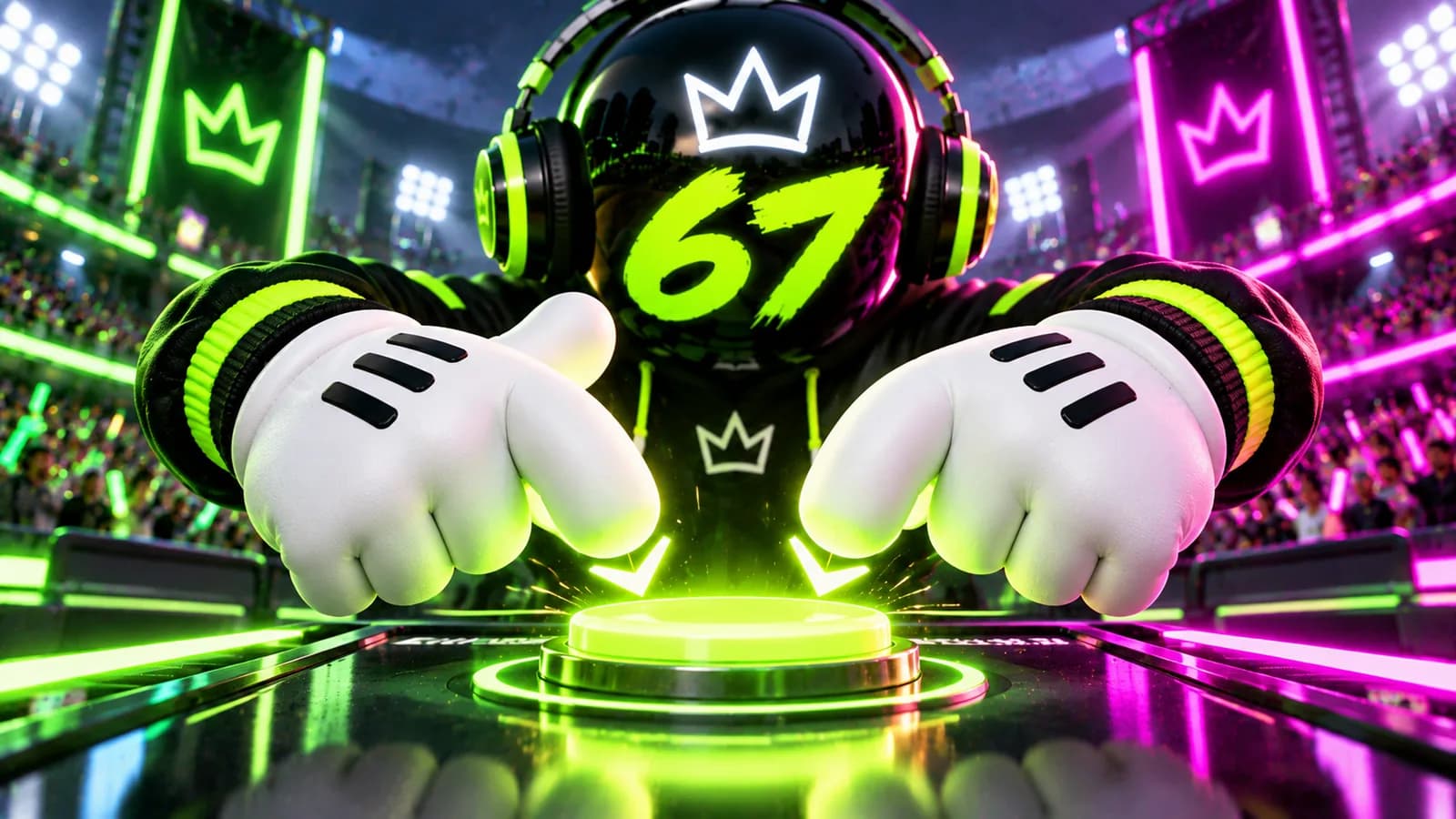
The Hand Animation in 67 Tap, Explained Frame by Frame
Why the gloves on screen swap position with every tap in 67 Tap and what the rest of the visual feedback is doing
· 4 min read · by the 67 team

Six seven! Don't just read it: Play 67 Join the chat
The button is the star of 67 Tap, but the hands doing the tapping are doing more work than most people notice while they are busy chasing a score.
The gesture that started it all
The whole "six seven" hand motion, one palm up and one palm down like you are weighing two invisible things, is the meme the entire game is built around. 67 Tap puts that exact gesture right on the button. Every single tap flips which hand is up and which is down, so the animation is literally reenacting the gesture over and over, once per tap, forever.
What happens the instant you tap
A tap in 67 Tap triggers a small chain of visual events, all timed off the same moment your finger lands:
- The gloves swap. Whichever side was up goes down and vice versa.
- The button itself squishes slightly, like it is actually being pressed, then springs back.
- A glowing ring pulses outward from the button and fades over about half a second.
- A little glowing 67 tile launches off the button and arcs away before disappearing.
None of these change your score. They exist purely to make a single tap feel satisfying, which matters a lot when the whole point of the game is doing the same motion dozens of times in a row.
The combo counter is a mood, not a multiplier
If you tap fast enough, roughly quicker than half a second apart, a bold combo number appears above the button and climbs with every rapid tap, up to a cap. It looks dramatic, with a glow and a bit of a shake to it, but it does not add anything extra to your score or your country's total. It is purely there to visualise your speed back at you, the same way a heart rate number on a treadmill does not change how far you have run, it just tells you how hard you are working.
The mascot is watching
On a wide enough screen, the 67 mascot stands off to the side, quietly bobbing along while you tap. It does not interact with the button and does not affect anything mechanically. It is there for the same reason a mascot is at any event: to make the whole thing feel like it belongs to something bigger than a lone button on a screen.
A tiny secret in the sound design
Every regular tap has its own sound, but every 67th tap you land triggers a distinct, different sound from the rest. It is a small easter egg that only shows up if you are tapping enough taps in a row to notice a pattern, and it rewards exactly the kind of sustained tapping the game wants from you. Keep an ear out during a long sprint and you will catch it.
Why the juice matters
None of the visual flourish changes the math. A tap is still worth exactly one 67 whether the button squishes dramatically or not. But games that feel good to interact with get played more, and a game that gets played more is a game that actually moves a country up the leaderboard. The animation is not decoration for its own sake, it is doing real work keeping your thumb coming back.
Portrait versus landscape changes the show
Turn your phone sideways and the mascot appears next to the button, bobbing along while you tap. Keep it upright in portrait mode and the mascot steps aside so the button and gloves have the full width to themselves. Neither layout changes anything about scoring, but landscape gives you the complete visual experience, mascot included, while portrait keeps the focus tight on your thumbs and the button itself.
Why the flying tiles never pile up
Every one of those little glowing 67 tiles that launches off the button during a tap disappears again after a little over a second, and only a limited number are ever kept on screen at once. That is a deliberate bit of housekeeping: a screen full of dozens of old tiles from taps thirty seconds ago would slow things down and clutter the exact moment you need to see clearly, which is the button itself, right when your next tap is about to land.
Go watch the gloves swap for yourself. Tap 67 and pay attention to the details for once, or bring your favorite detail to the chat and see if anyone else noticed it.